Gaining Access to DataDocks
Access is provided when invited by an active admin user. Click here for instructions on how to add Internal Users.
Welcome Email
As a designated user of DataDocks, you’ll receive a welcome email from the system once you have been invited.
- Sender: The email will come from the domain datadocks.app.
- Important Tip: If the email ends up in your spam folder, make sure to whitelist or mark the domain as secure. This ensures you don’t miss notifications or updates.
- Contents: The email will include a link to your unique instance of the software. Click the link to get started.
Creating Your Account
After clicking the welcome link, you’ll be prompted to create a username and password.
- Name: Please enter your user name here.
- Password: Create your password here, please take note of password instructions. Please keep this secure, this password is personal and should not be shared.
- Tip! If you forget it, you can reset it using the “Forgot your password?” link.
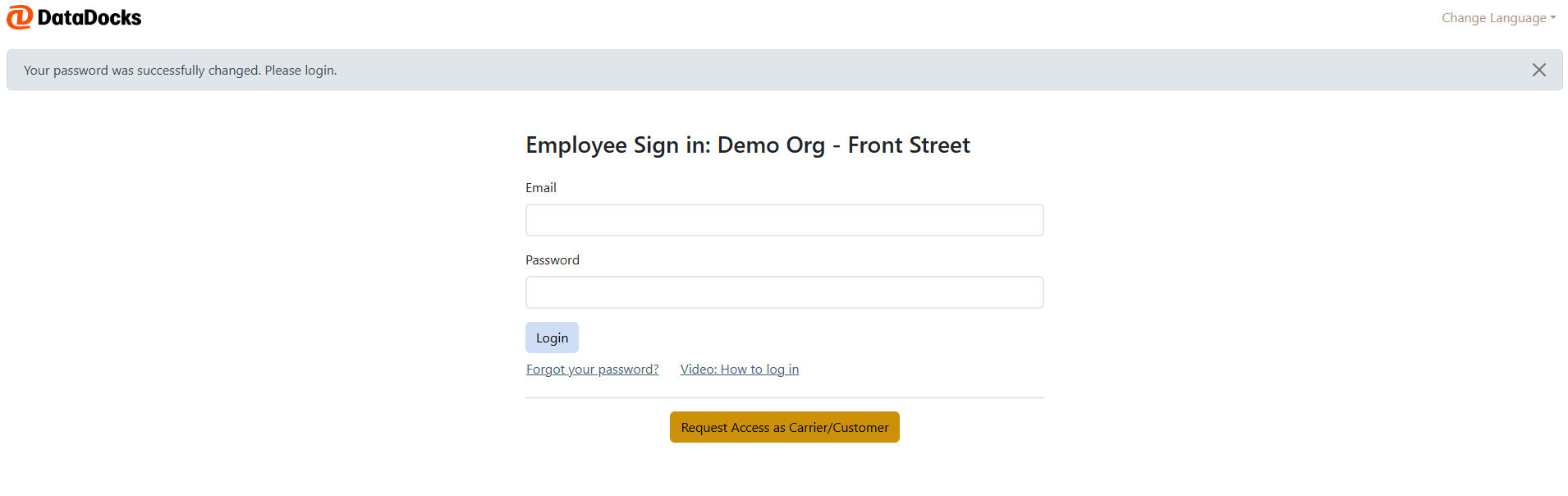
Once created, you'll recieve an on-screen confirmation that your account was successfully created.
Signing in for the First Time
Once your password is set, you’re ready to sign in:
- Enter your email address and the password you created.
Accepting the End User License Agreement (EULA)
Before using DataDocks for the first time, you’ll need to review and accept the End User License Agreement (EULA):
Type “I agree” in the space provided at the bottom.
Once accepted, you’ll gain access to the platform.
With these steps, you’re all set to start using DataDocks! If you run into any issues, feel free to reach out to our support team for assistance.