Bulk Upload Errors
Are you receiving a "We're sorry, something went wrong" error?
When performing a bulk upload and you are greeted with this error page, its most likely a file type error. Our bulk uploads need to be saved as a CSV UTF-8. When ready to save your excel file, hit file - save as and make sure the "save as type" is CSV UTF-8 (comma delimited)
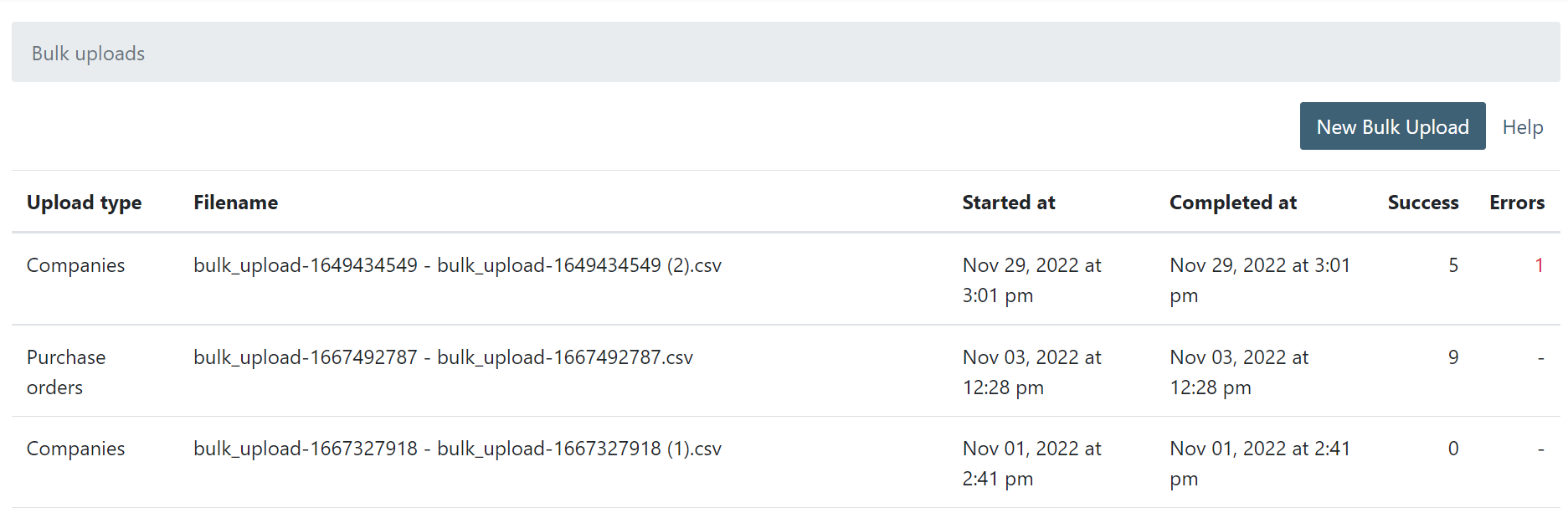
After uploading your file into DataDocks, you will see how many successes and how many errors you had on the file. By clicking on the number of errors, you can see what those errors are and on which line items they occurred.
Below are some tips on how to correct those:
"Couldn't find a matching ..."
This error message can be finished with Carrier, Customer, Dock, Yard or Product. Simply meaning that you are trying to upload a Purchase Order or Appointment via a bulk upload that doesn't have that identifier already in the software. Go into the appropriate option in the Advanced navigation menu and add that Carrier, Customer, Dock, Yard or Product in then retry your upload.
"Wrong appointment date format" or "Couldn't decode date"
These error messages are to do with the formatting of the dates in your bulk upload file. The format must follow YYYY-MM-DD HH:MM:SS.