How do I track when customers/carriers show up without an appointment?
Tracking unscheduled appointments (or unplanned arrivals) is an important metric for any facility. Whether you reject loads without an appointment or simply need to allow for a buffer of unscheduled appointments, DataDocks makes it easy to have this information at your fingertips.
Once a truck arrives at your facility that is unscheduled, open up a new appointment by clicking on a time cell within the calendar. You will populate all necessary information for that appointment, such as carrier, PO number, product etc. After you have all appointment information populated, you will hit the drop down under "Arrived" and click "Unscheduled arrival", shown below:
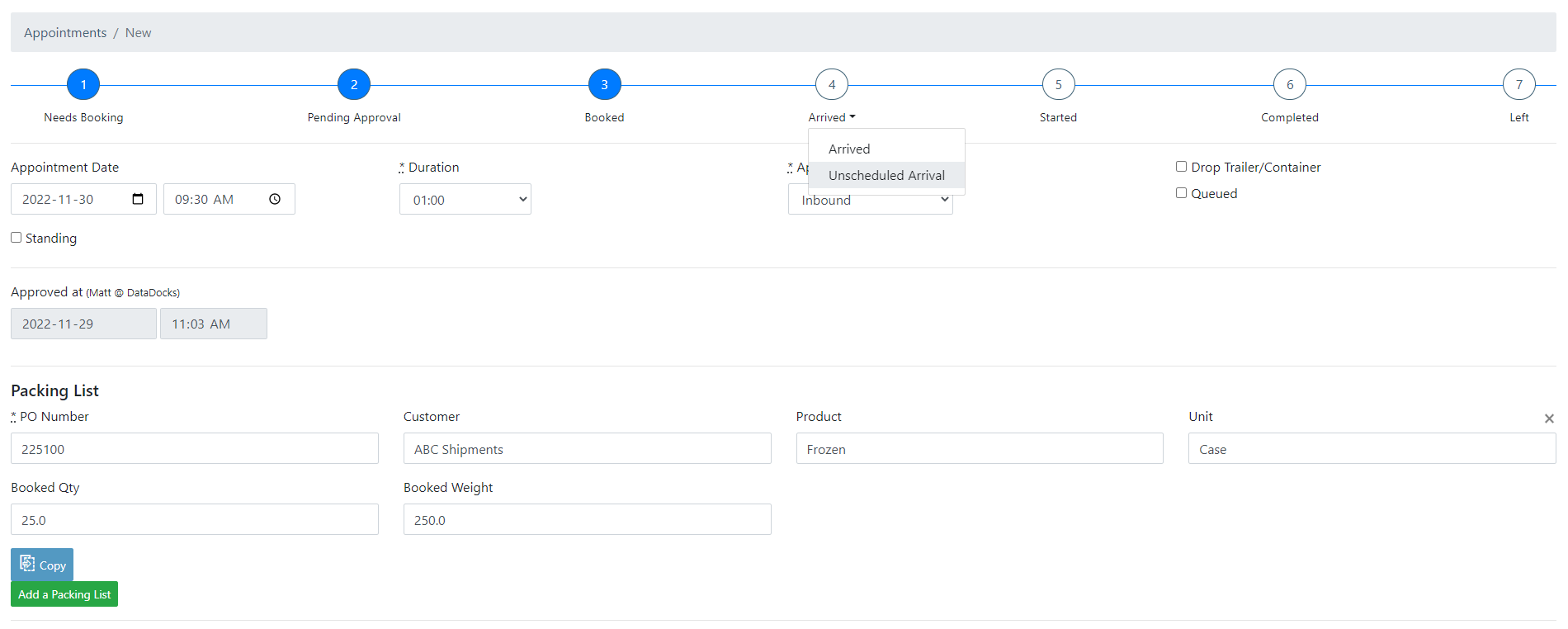
This will create the appointment without a scheduled date and time. This tells the software this appointment arrived at the facility, but did not have an appointment date/time therefore it was an unscheduled arrival.
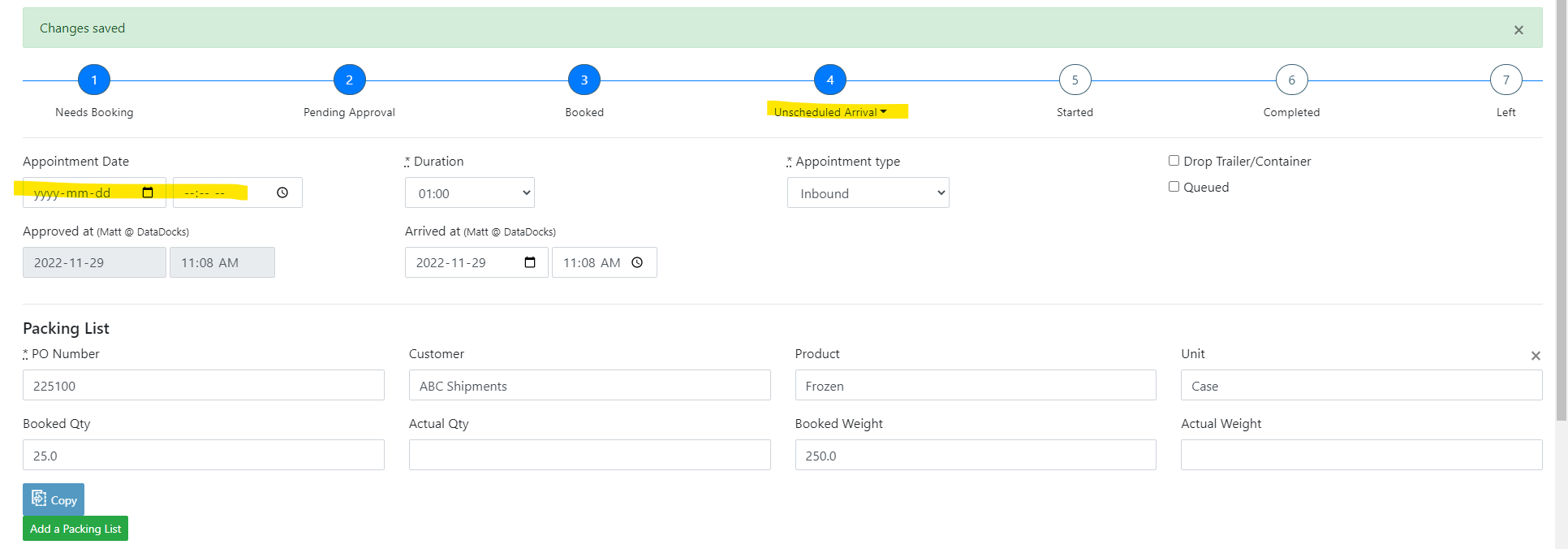
This will appear on your calendar as a separate colour (see your colour legend) for easy viewing as well as being reflected in your reports as an unscheduled appointment, allowing you to use this data to identify trends for optimal performance.