Appointment Product Summary Report
The Appointment Product Summary Report provides a dashboard-style overview of key metrics for your completed appointments, broken down by product. It’s a powerful tool for understanding product-level activity and measuring how different products impact operational performance.
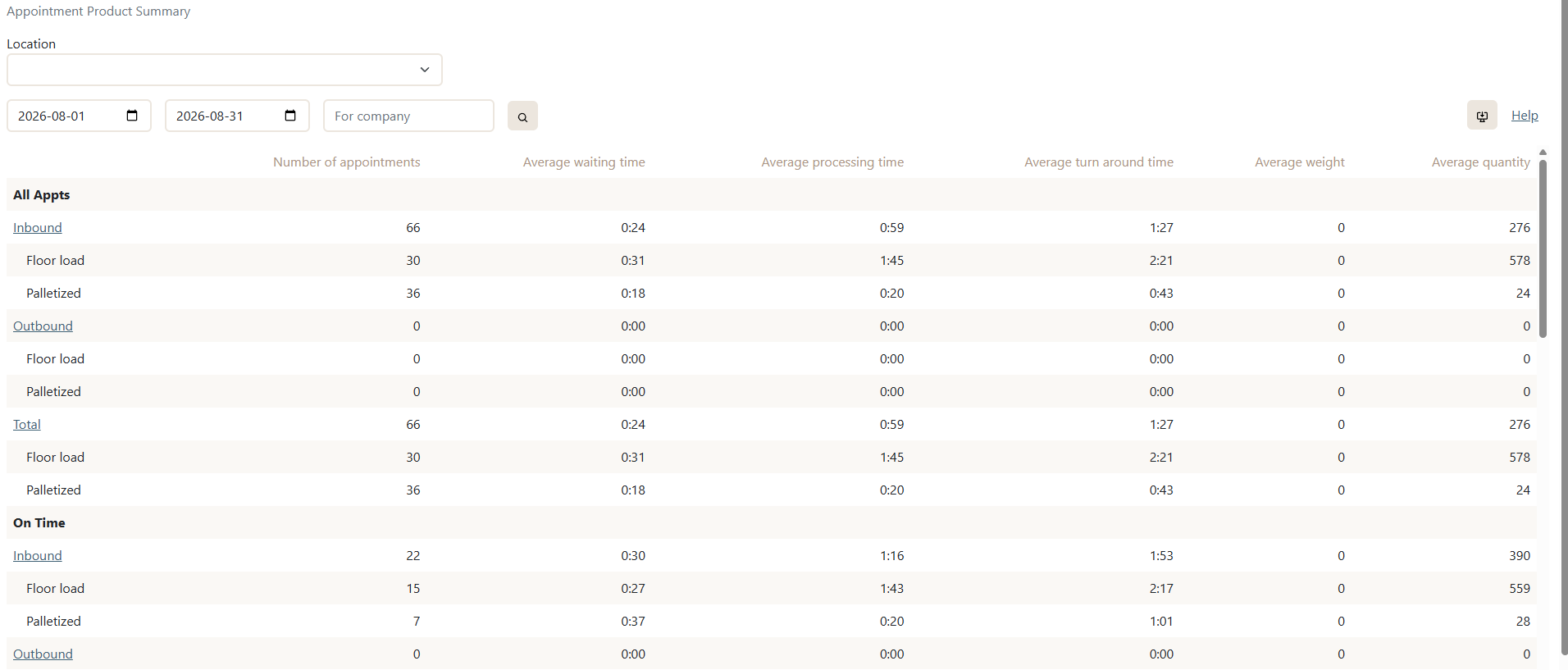
Key Details
- Close Completed Appointments: Before generating this report, ensure all completed appointments are marked as "left" in the appointment status bar.
- Filter Your Report:
- Location: Select the location you want to report on.
- Date Range: Choose the time period you want to analyze.
- Company: Narrow results to a specific carrier or customer if needed.
- Click Search to generate the report.
How the Report Is Structured
The Appointment Product Summary Report displays data by appointment type and product, typically organized into the following sections:
- All Appointments: Total count of all inbound and outbound appointments by product within the selected range.
- On Time: Appointments by product that arrived on time.
- Early: Appointments by product that arrived early.
- Late: Appointments by product that arrived late.
- Unscheduled: Appointments by product that arrived without a scheduled date and time.
- Inbound: Metrics for inbound appointments by product.
- Outbound: Metrics for outbound appointments by product.
- Total: Combined metrics across appointment types by product.
This layout allows you to see both high-level appointment activity and a detailed breakdown by individual product.
Default Report Fields
- Number of Appointments: Total count of appointments for the selected product within the selected range.
- Average Waiting Time: The average time between when an appointment is marked Arrived and Started.
- Average Processing Time: The average time between when an appointment is marked Started and Completed.
- Average Turn Around Time: The average time between when an appointment is marked Arrived and Left, reflecting the full appointment cycle.
- Average Weight: The average total weight for appointments associated with that product.
- Average Quantity: The average total units for appointments associated with that product.
Why Use the Appointment Product Summary Report?
- Product-Level Insights: Understand which products are driving appointment volume and how they affect dock performance.
- Efficiency Tracking: Monitor waiting, processing, and turnaround times by product to identify delays or bottlenecks.
- Operational Planning: Use product-level trends to better allocate labor, equipment, and dock space.
- Performance Comparison: Compare inbound, outbound, and total activity across products for a clearer picture of operational flow.
The Appointment Product Summary Report is an essential tool for reviewing appointment performance at the product level. Use it to identify trends, improve planning, and make more informed operational decisions based on the products moving through your facility.