Checklist Report
The Checklist Report provides a detailed view of checklist results from your appointments. This report is an excellent tool for tracking and analyzing specific checklist fields, offering insights into trends or recurring issues.
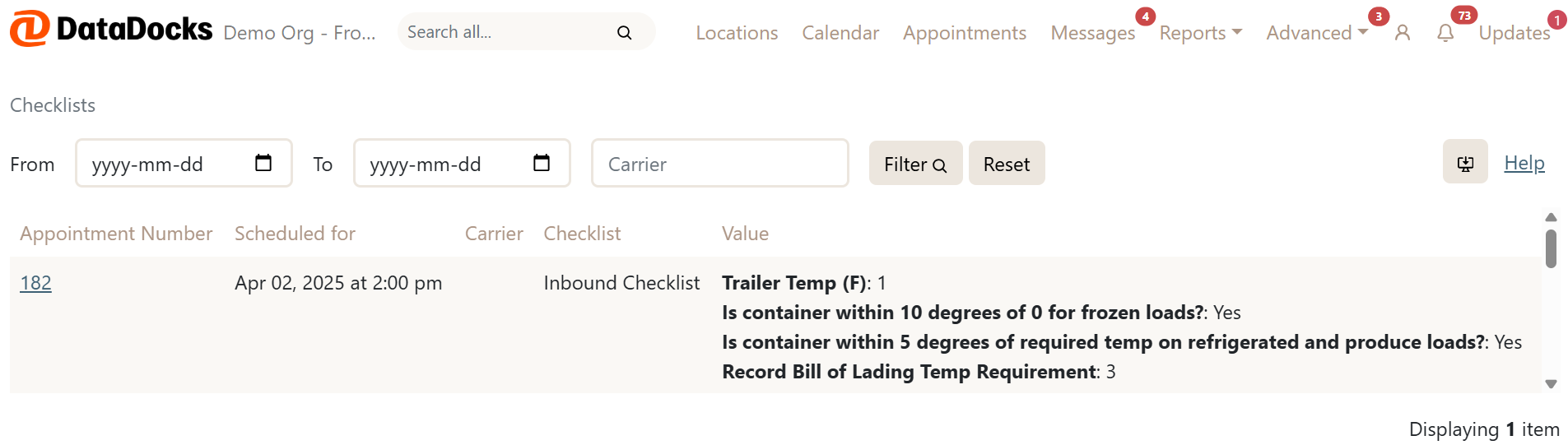
Key Features
- Filtering Options:
- Date Range: Select the time period for the report.
- Carrier: Narrow down results by carrier to identify trends, like the frequency of damaged goods.
- Customizable Fields:
- Checklist fields are fully customizable to suit your operation’s needs.
- To update or manage checklist fields, navigate to Advanced > Location Settings > Inspection Checklists within the software.
Why Use the Checklist Report?
- Track Trends:
- Monitor how often certain checklist items, such as damaged goods or incomplete documentation, appear across appointments.
- Improve Accountability:
- Identify recurring issues with specific carriers or processes and address them proactively.
- Customization for Relevance:
- Tailor the fields to match your operational requirements, ensuring the report delivers meaningful insights.
The Checklist Report is a valuable resource for maintaining quality control and improving accountability in your operations. Use it to streamline processes and address recurring challenges effectively.