Company Booking Permissions
About Company Booking Permissions
Company Booking Permissions allow one carrier or customer to make bookings for another carrier or customer, limiting the manual contact you need with these companies, and giving your organization flexibility when allowing or disallowing carriers and customers to book for each other or other companies.
Subcontractors, third parties, logistics companies, and sometimes just various company vendors are all examples of when this feature would be used.
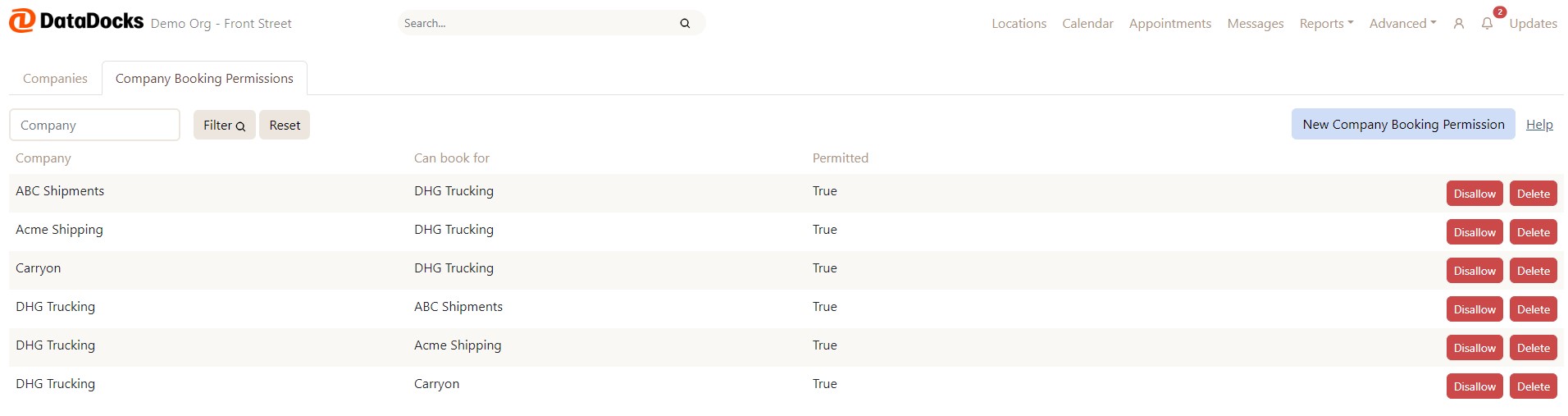
Creating and Managing Permissions
There are two different ways to create new permissions
-
Automatically, when you internally create an appointment, adding a customer and carrier will create a company booking permission between the two if it doesn't already exist. Don't want this to occur? Just let our support team know!
-
From the Company Booking Permissions page, you can manually create permissions.
a) To create a new permission, click “New Company Booking Permission”
i)
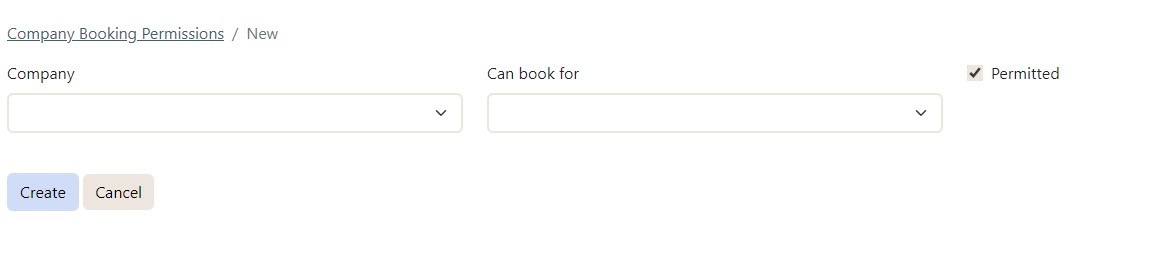 ii) From here you can choose the Company and who they can book for, once you click create, it will appear in the main Company Booking Permission page.
-
You can click “Disallow” permissions to remove the association between the companies.
Utilizing these permissions will reduce manual emails and calls between you and your customers or carriers when utilizing 3rd parties or subcontractors.
Global Visibility & Booking Overrides
In some workflows, managing individual Company Booking Permissions may not be necessary. DataDocks offers global visibility and booking override settings that can simplify or entirely remove the need to create one-off permissions between companies.
When enabled, these settings allow broader access across companies, reducing administrative overhead and setup time. These are account-level settings and must be enabled by the DataDocks Support team.
The following options are available:
-
All companies can assign Purchase Orders - Allows any company to book Purchase Orders assigned to any customer or carrier without requiring an existing booking permission.
-
All carriers can assign Purchase Orders - Enables any carrier to assign Purchase Orders regardless of specific company relationships.
-
Customers can see all carriers - Removes carrier visibility restrictions, allowing customers to select from all carriers available at your location when creating appointments.
-
Carriers can see all customers - Removes customer visibility restrictions, allowing carriers to select from all customers available at your location when creating appointments.
When one or more of these settings are enabled, Company Booking Permissions may no longer be required for certain booking or assignment scenarios.