Company Duplicates
About Company Duplicates
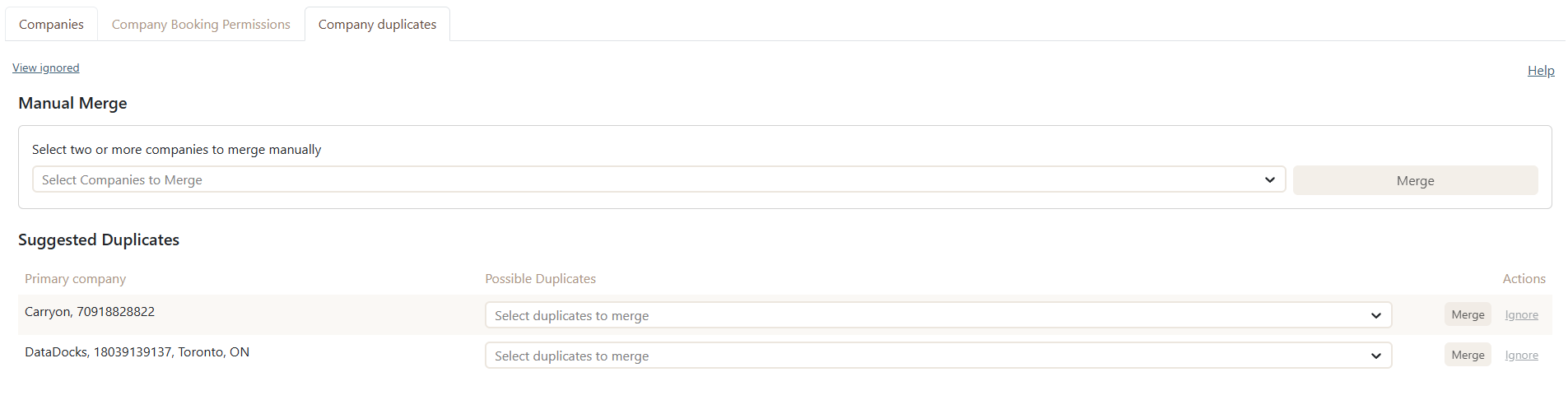
Each night, DataDocks searches your companies for potentially duplicate companies. These are either predetermined by these searches, or you can manually merge duplicate companies using the Manual Merge option.
Duplicate companies housing different users can inhibit visibility of customers and carriers to view their booked appointments. Ensuring that these potential duplicates are frequently managed will not only keep your data clean, but will also keep company appointments visible to all users.
Manual Merge
Use Manual Merge when you already know which companies should be combined.

- Search for the companies you want to merge using the search bar.
- Select multiple companies that apply and click "Merge"
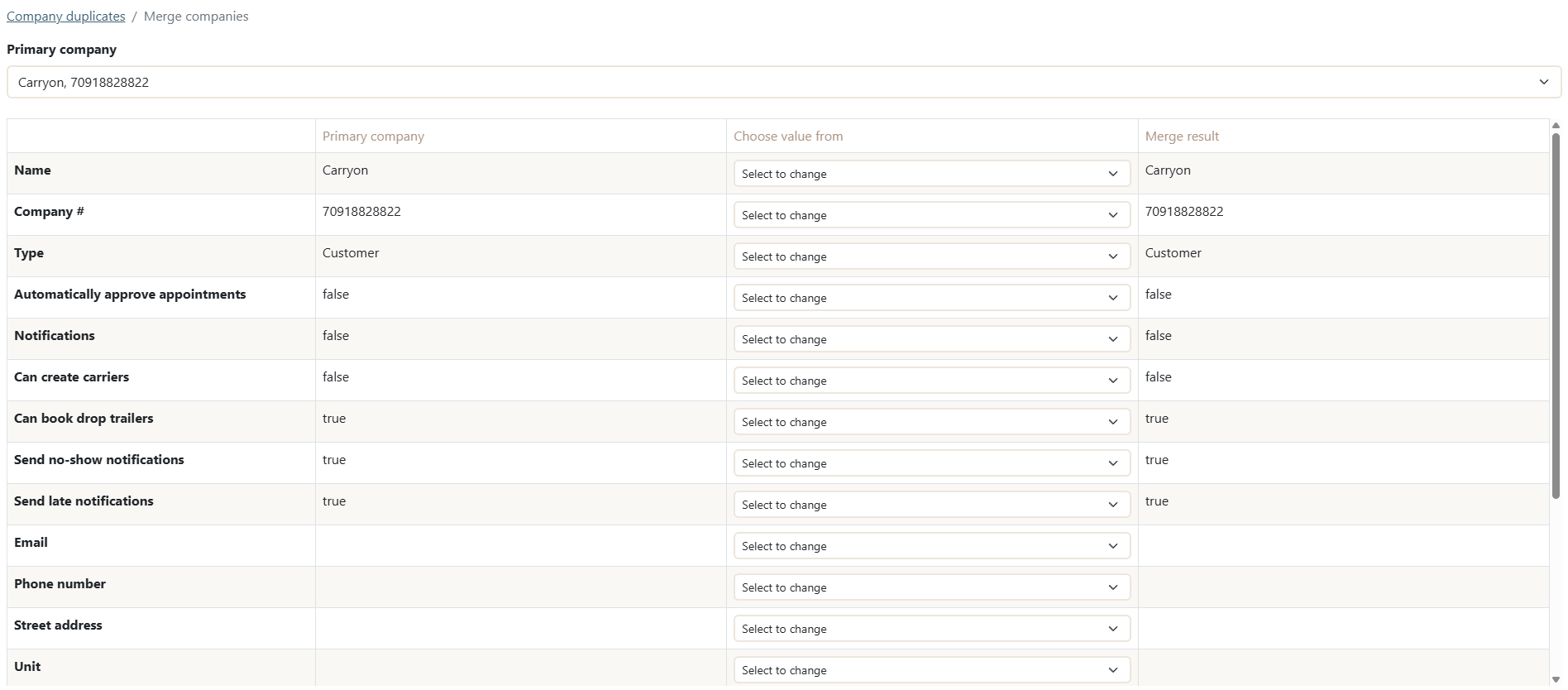
- Choose the Primary Company name and confirm the correct attributes for the merged company.
- Click Merge to combine the companies.
Suggested Duplicates
Each night, DataDocks automatically searches for potential duplicate companies. Suggested Duplicates will only appear when potential matches are found and allow you to quickly review and merge them.

- Click Merge if the companies are confirmed to be a duplication.
- Select the correct Primary Company and click Merge to combine them.
- Click Ignore if the companies are different and should remain separate.
View Ignored
You can view previously ignored duplicates from the Suggested Duplicates section. If a company was ignored by mistake, you can move it back to the merge list and review it again.
By maintaining a clean and accurate company list, customers and carriers can book and view appointments more easily, and your reporting remains clear and reliable. Regularly reviewing and merging duplicate companies helps ensure smooth scheduling, better visibility, and more accurate data across DataDocks.